My AI Calculator app that tells jokes and solves for x
I was contemplating my next side project when I came across a tweet about a calculator that sarcastically replies to sums. I thought it was great so I built exactly that.
Sarcastic remarks with the answers
Some replies are funnier than others, which gives the feeling that the calculator has moods.
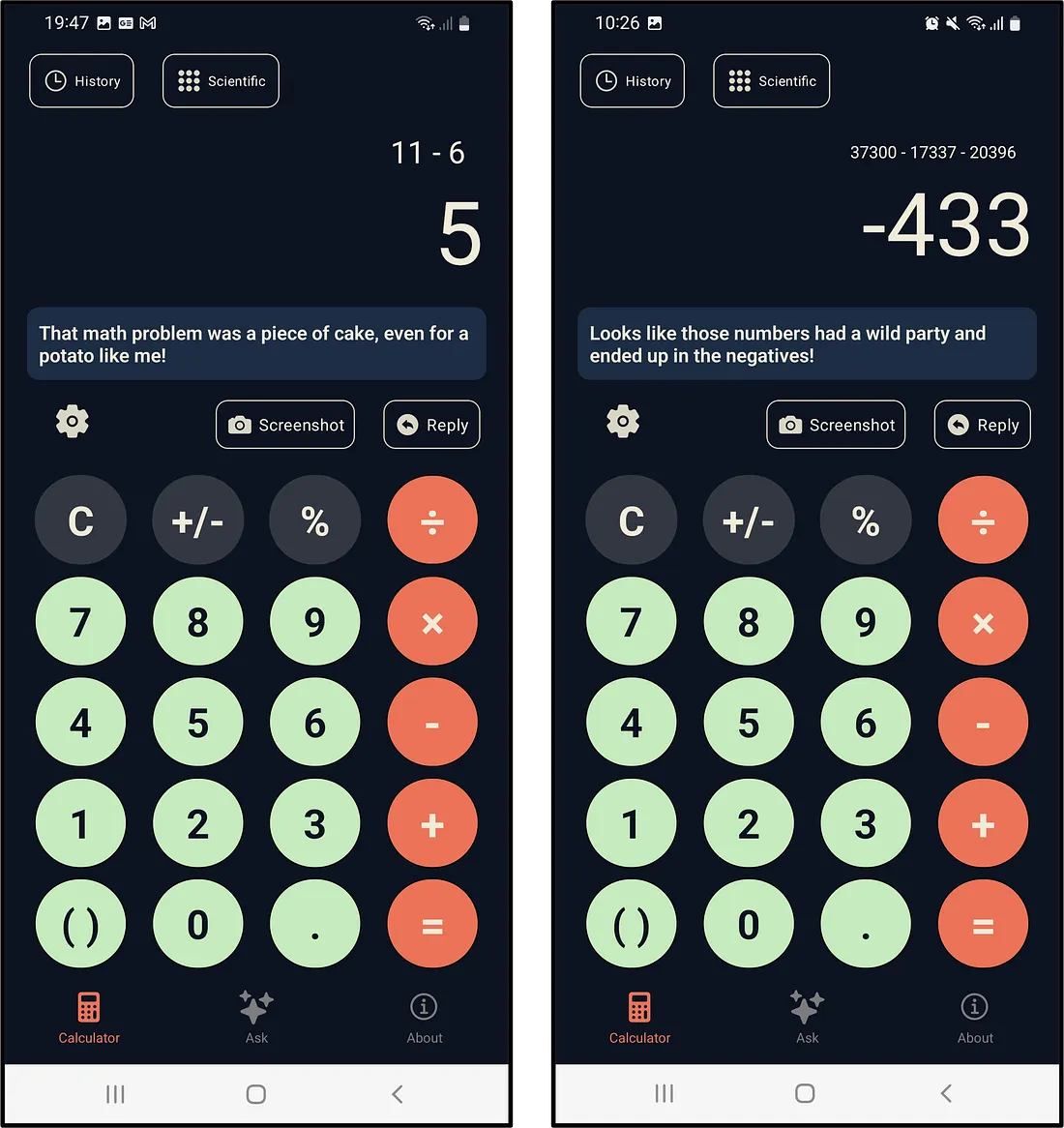
I spent a great deal of time selecting a colour palette and thinking about the layout, as I appreciate good UX/UI in other apps (such as the app I contribute to in my day job at EasyCrypto/EasyEquities). The buttons also vibrate and retract into the screen when pressed. I noticed this helps when focusing somewhere else while adding a number into the calculator. It gives the user confirmation that their input is received and gives an otherwise digital app a "real feel".
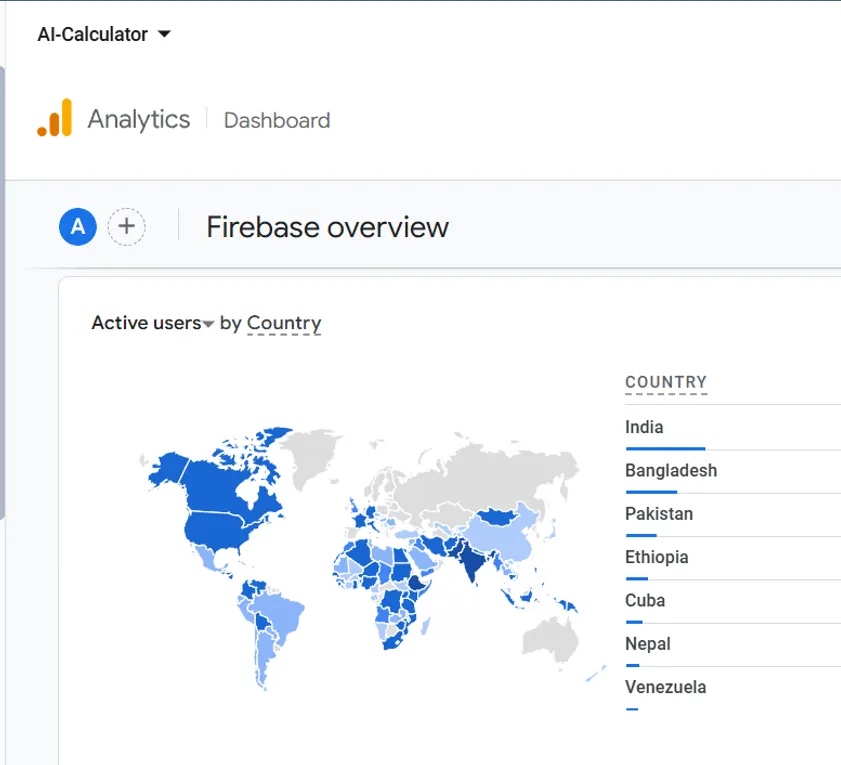
To my surprise, a lot of people have downloaded my app thus far. Many of them are loyal retained users from all across the world.
Since people were using it, I continued making improvements and rolling out updates. I listened to what my friends and family suggested. Some were serious suggestions such as creating a scientific mode, and others were less serious, such as creating the ability to reply to the app. I built both these features.
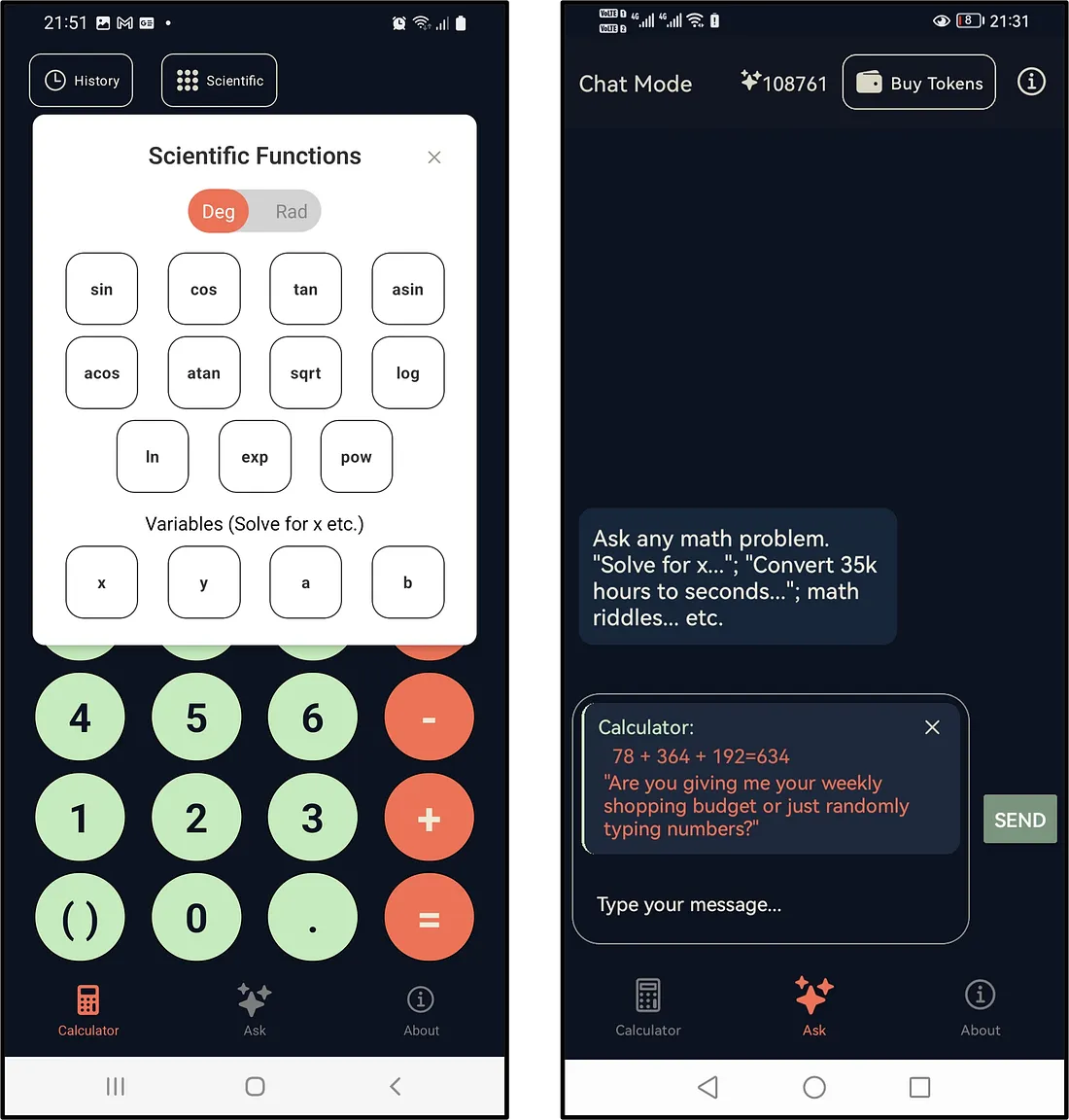
Scientific functions (left) and the ability to reply to the calculator's comments (right).
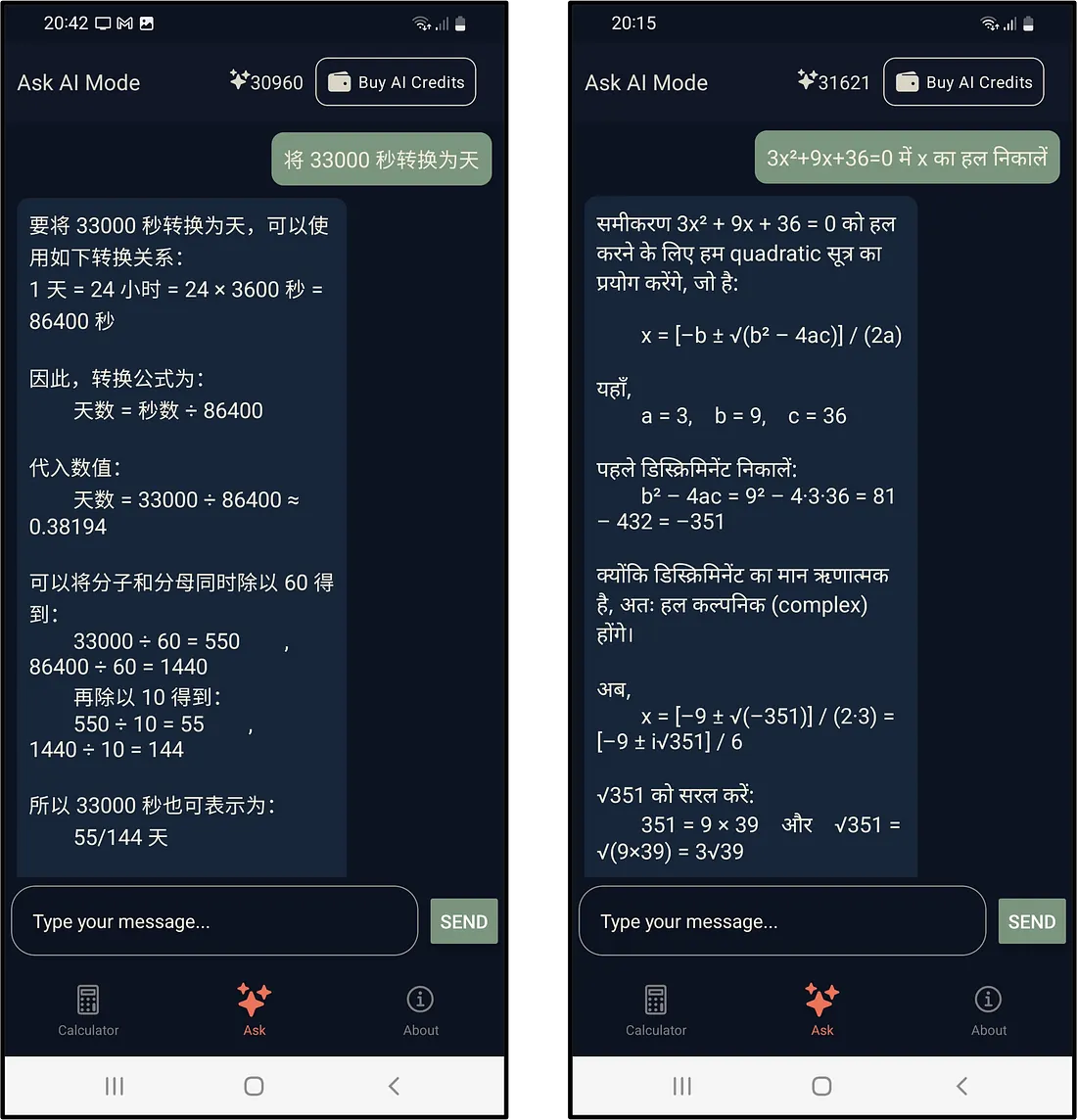
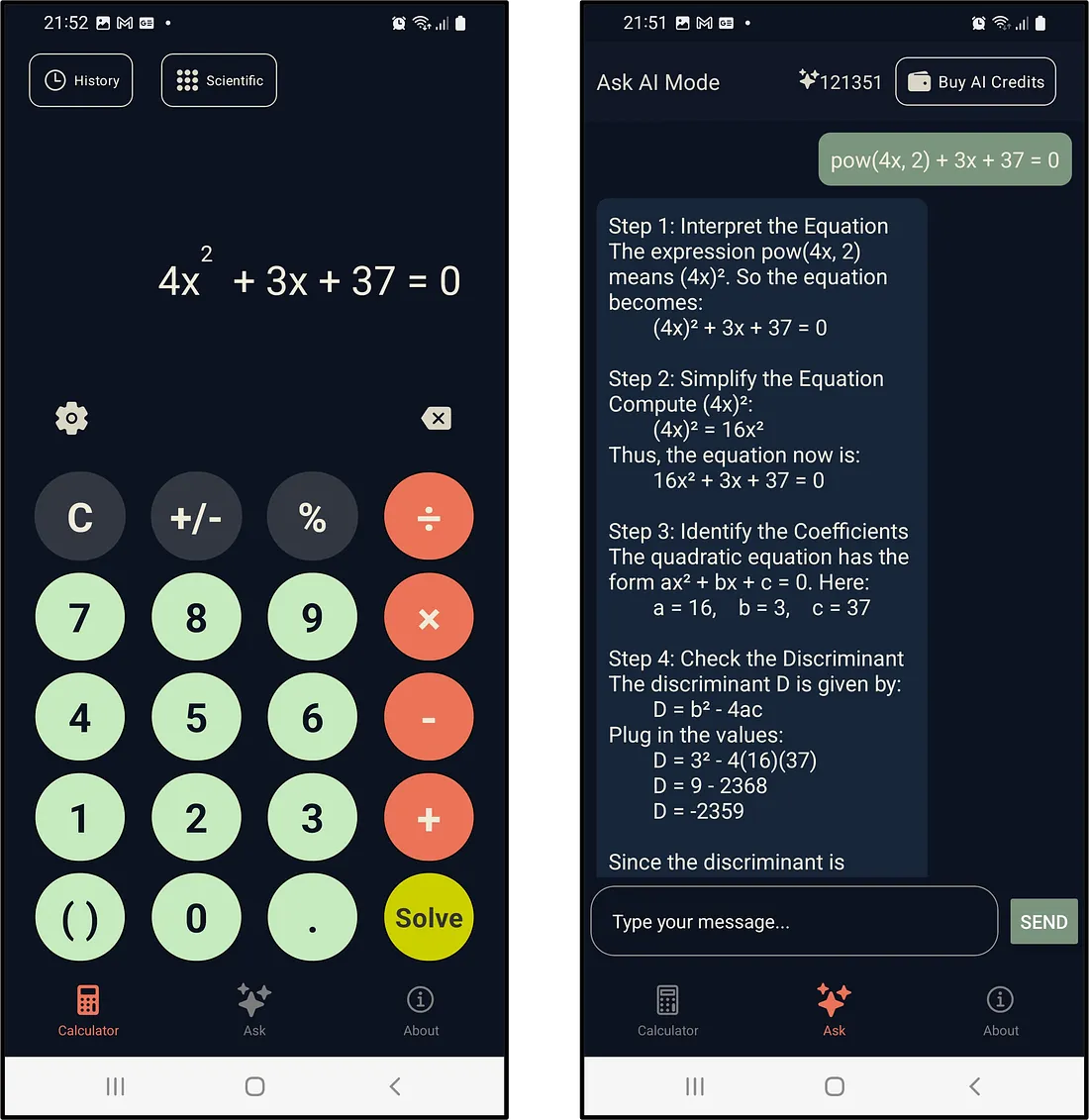
I also created "Ask AI" mode. It uses o3-mini to answer any math-related problems, in any language.
I then had a brainwave and realised I could integrate the "Calculator" mode with the "AI mode". So when users input an equation using the calculator and add variables such as x and y, the calculator knows that it is an equation the user is creating. Once they add the "=" to the equation, the equals button turns bright yellow and becomes a "solve" button. After pressing this button, it sends that equation to the "AI" mode to solve.
I used React Native to build AI Calculator. It also uses various Firebase tools.
AI Calculator is available to download on Google Play. You can use the following link: https://play.google.com/store/apps/details?id=com.robintitus.aicalculator&hl=en